

Why Turnkey for Encryption Key Storage?
Turnkey provides secure storage and policy-controlled access for encryption keys. Use it to encrypt sensitive data, build user-controlled recovery flows, or separate risk between your infrastructure and Turnkey’s secure enclave.Core Principles
- Risk separation: Neither party alone can access plaintext data. Your infrastructure holds encrypted data while Turnkey’s secure enclave holds the encryption key.
- Secure enclaves: Keys are generated and stored inside hardware-backed enclaves. Key material never exists in plaintext outside the enclave boundary.
- Policy-gated key export: Use Turnkey’s policy engine to add controls over key export, such as requiring quorum approval for sensitive operations.
- Flexible authentication: Turnkey supports multiple authentication methods for key export: API keys, passkeys, social logins, email and SMS OTP, allowing you to match your security requirements.
Architecture
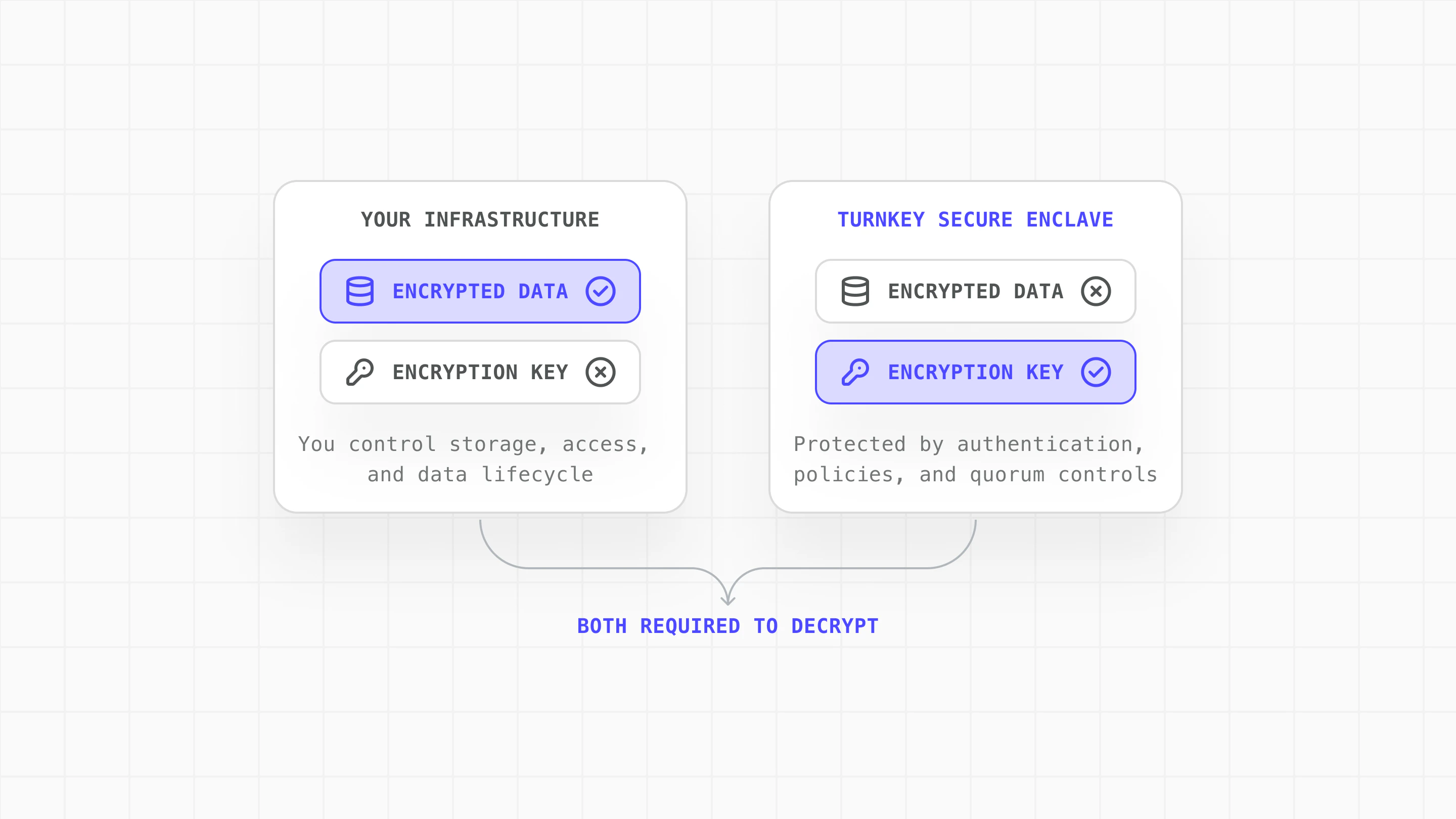
How to Get Started on Encryption Key Storage with Turnkey
- Create encryption keypair: Generate a P-256 keypair in Turnkey. The private key is stored in the secure enclave and never exposed.
- Retrieve public key: Fetch the public key to use for encryption on your side.
- Encrypt data locally: Use the public key to encrypt sensitive data and store it in your infrastructure.
- Authenticate and export decryption key: Authenticate the user and request the private key from Turnkey.
- Decrypt and use locally: Decrypt your stored bundles and use them locally, then clear sensitive data from memory.
Use Cases
1
Create encryption keypair
Generate a P-256 keypair in Turnkey using createPrivateKeys. The private key is stored in Turnkey’s secure enclave and never exposed.
2
Retrieve public key
Fetch the public key to use for encryption:
3
Encrypt data locally
Use the public key to encrypt sensitive data on your side. Turnkey never sees the plaintext or the encrypted result:Encrypted bundles can be stored anywhere you control:
4
Authenticate and export decryption key
Authenticate the user through your normal auth flow, then request the encryption private key from Turnkey using exportPrivateKey:Use Turnkey’s policy engine to add controls on key export:This example requires two approvers for any export of the encryption key, adding human oversight to sensitive operations.
5
Decrypt and use locally
Decrypt your stored bundles and use them locally, with no further Turnkey calls:When done, clear the decryption key and any decrypted data from memory:
The Result: Security Without Compromise
Encryption Key Storage with Turnkey enables you to:- Maintain full control over your data and operations
- Implement flexible recovery flows that keep users in control
- Distribute trust between your infrastructure and Turnkey
World App Case Study
World App (by Tools for Humanity) uses Encryption Key Storage with Turnkey for user wallet recovery. Learn more: World App Backup Service (GitHub) World App encrypts each user’s recovery bundle locally on-device. Turnkey’s infrastructure manages the bundle’s encryption key within secure enclaves, which can only be used in response to user-authenticated actions such as OAuth.- Users retain control of their encrypted recovery data
- The encryption key lives in secure enclaves, not centralized servers
- Key access requires explicit user authentication
- No single point of failure: both components must be compromised
Resources
Explore the complete implementation in our GitHub encryption-key-escrow example.- Secure Enclaves: How Turnkey protects key material
- Export Private Keys: API documentation for key export
- Policy Engine: Configuring access controls
- Root Quorum: Multi-party approval for sensitive operations